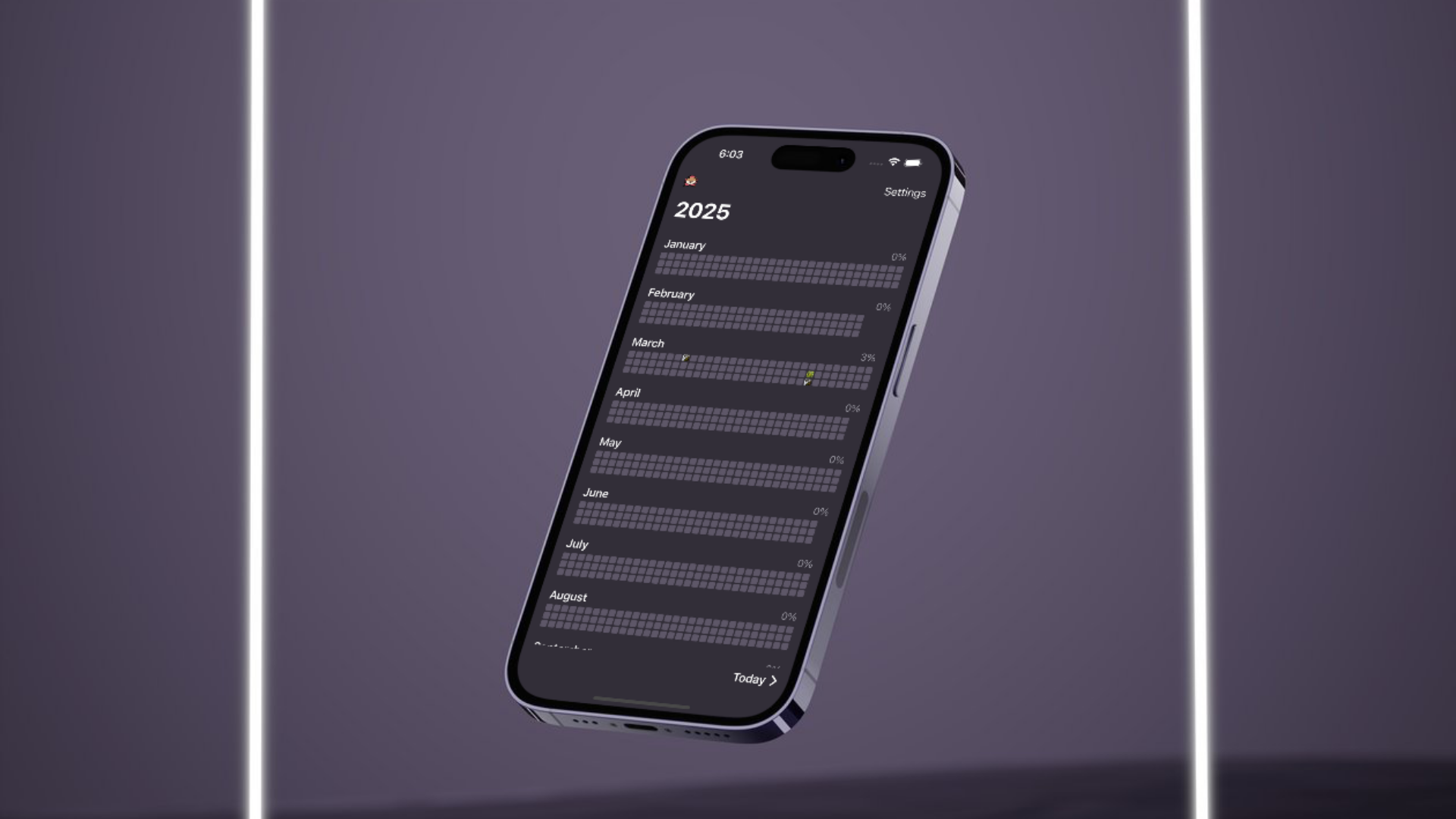
Harold iOS is a daily habit tracker, named for my partner's favorite stuffed animal. The app is best suited for daily habits and tracking your completion of them over the course of each month and each year.
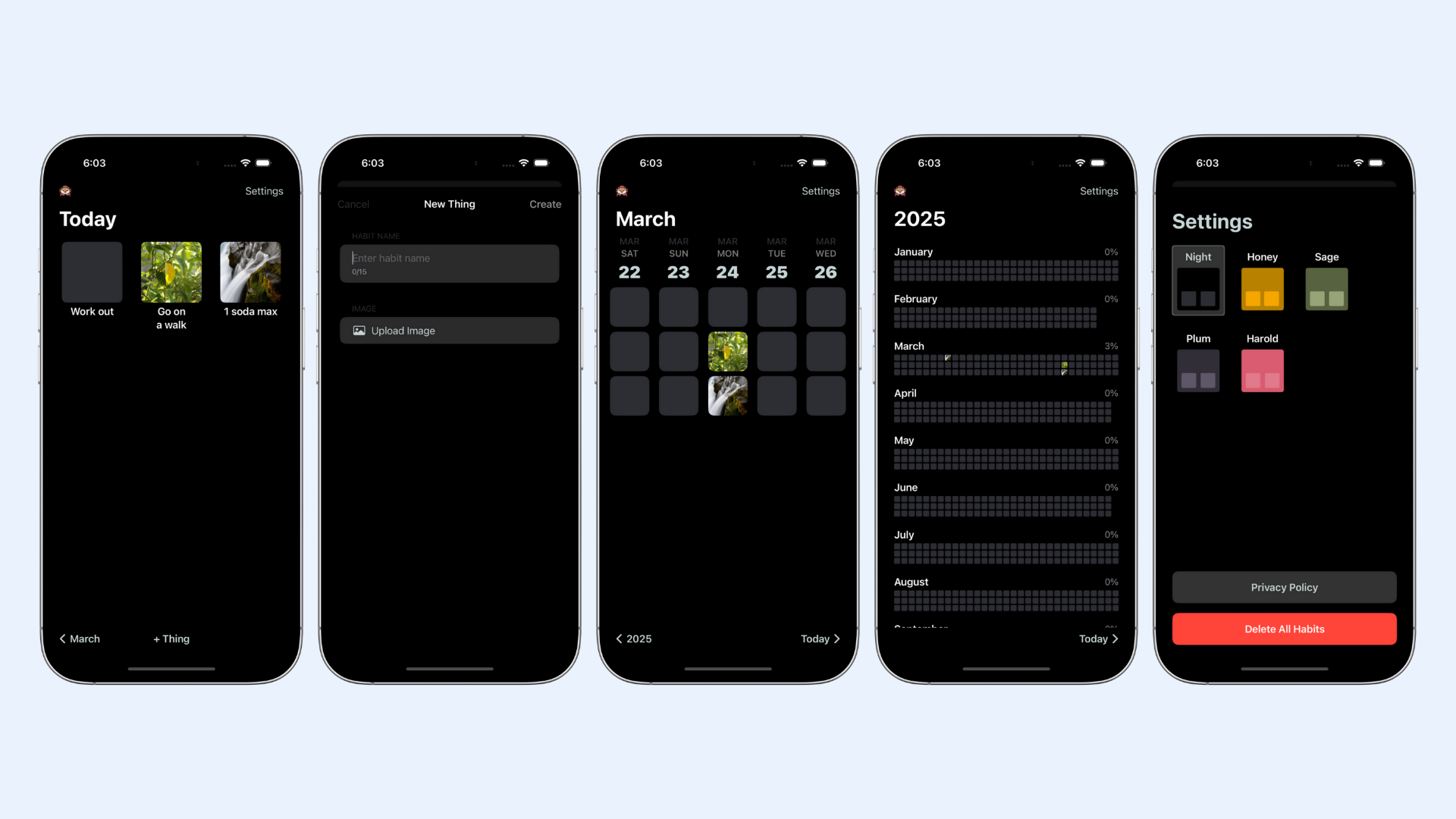
Each day, the user can see their daily habits on the Today page and simply click on each one to mark its completion. A user uploads their own image for each habit so they can be customized to the users' preferences and easily recognizable. The user can also track the completion of all habits over the course of any month or year and the percentage completed over each month.
How's Harold doing?
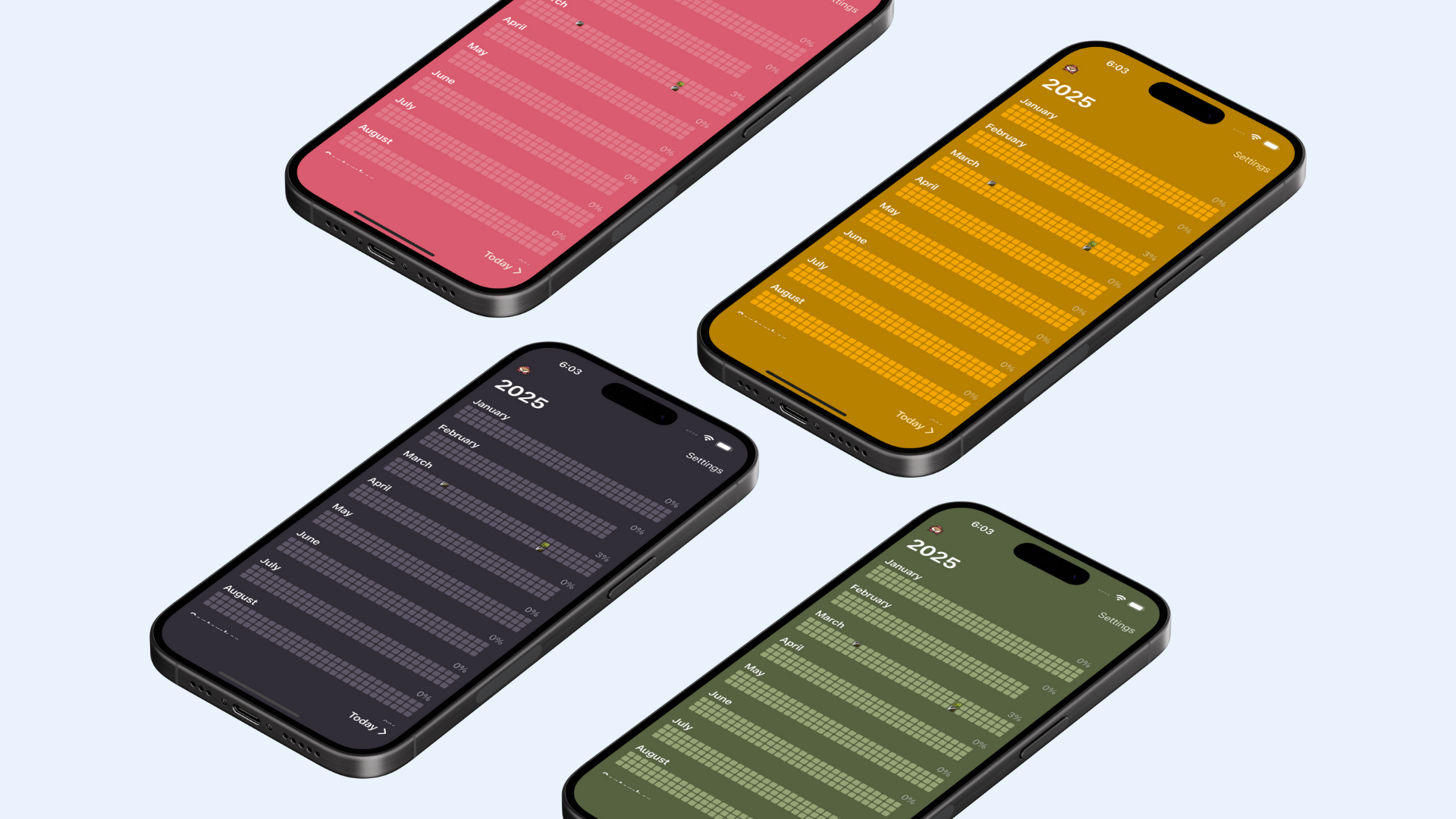
Harold Phase 1 is complete. The app is a fully functional habit tracker that I use reliably every day. The iOS application is complete with tracking over the course of the entire year, multiple color schemes, and is completely bug-free. The next step is to push Harold onto the App Store. After that, Harold Phase 2 begins.
Harold Phase 2 will substantially expand the functionality of the app in two key ways. Firstly, the user will be able to schedule habits with greater granularity. Rather than a habit concretely repeating every day, the user will be able to schedule habits to repeat on a weekly, monthly, or annual basis and choose which days to repeat on. This will greatly expand the functionality of the app and allow the app to adapt to the users' needs. A strong example would be taking out the trash every week on Tuesday and Thursday, or pay rent on the first of every month. This will all be possible in Phase 2.
The second major change to Harold's functionality would be the ability to schedule habits for a specific time. Hand in hand with the previous change, the user can enable notifications at the scheduled times to complete their habits. This will include a daily notification (if enabled) at approximately 9pm to remind a user to complete their habits for the day — this will improve the user experience as it can be dismotivating to forget to mark off habits everyday before the day resets at midnight.
With these changes, we will have removed many points of friction preventing users from using the app every day. Harold can take a substantial step forward to becoming an app full of convenient features that a user can easily and reliably integrate into their lifestyle.
Embracing iOS
This was my first experience creating an app that felt like it was made singularly for iOS. I had previously been resistant of leaning into the iOS design because of my roots in web design and also likely because I had been a faithful Android user for over 10 years. As a longtime Android power user, I hardly ever saw two apps that looked like they had the same design philosophies — this is perhaps a strong point of the Android apps space, but the same cannot be said about iOS. In the Apple ecosystem and its glorious vertical integration, Apple-designed apps all have similar UI elements, fonts, spacing, etc. I wanted to lean into this with Harold because the app wasn't meant to require effort to get used to. I wanted to remove any and all points of friction. Embracing the iOS look and UI was an active choice I made to make it easy for any iOS user to download the app and instantly be familiarized with the layout. The Harold app is loosely based off the UI/UX of the Apple Calendar app.
Getting it right the first time
Prior to making Harold, I had made three apps; Caliber, then Sagas, then Kusuri. At the time, all three apps shared virtually no design principles — I had taken a completely different approach on each app's UI, colors, fonts, interactive elements… all of it. And for Caliber and Sagas, I felt unsatisfied with the design I had chosen in their first iterations and almost immediately began brainstorming and designing the next iteration. None of this applied to Harold. Embracing iOS fonts, padding, and UI/UX created an app that I felt fit the image I had in my head perfectly. It was easy to use, looked like it fit perfectly into iOS, and was highly functional. After I made Harold, I went back to work on Sagas and Caliber and made sweeping changes to the styling and UI to incorporate what I had learned. I feel like Caliber and Sagas, my two larger projects, are better off for what I learned while making Harold. I feel more confident that Caliber and Sagas are stronger products and I feel more confident that other people will appreciate the design and UI/UX I worked so hard to share with the world.